A symptom tracker
Records what happened and when. Making sense of the entries and deciding what to do next are often left to you.
The Gutsphere app
See the current app, then choose a first step that fits your experience.
Getting started
You do not need a perfect explanation. Start with what you experience, what you have tried, the care you receive and what you want help with. A public guide or one practice can be a first step.
Hard stool, little urge and difficulty emptying can all be called constipation. Say which fits, what you have tried and what was hard to keep doing.
Explore constipation patterns →Put your main concern, goal and open question into words. Correct any summary that does not fit, and bring what remains unclear to a clinician.
Prepare for a visit →Keep an objective or question in view. Review the current app for available planning steps, or choose one public practice to try on its own.
Browse guided practices →Record what was possible, what got in the way and which question remains. Use the current Today and Track views as they fit your needs; keep care decisions with your clinician.
Explore care guidance →There is no free trial. Review subscription prices, renewal, cancellation and refunds on the Pricing page, then confirm the terms shown at checkout.
Review pricing and refunds →Inside the app
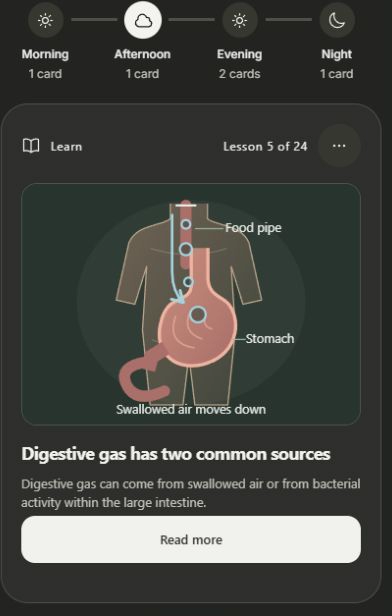
Plan gives the next step a place to live. Today shows the day’s content and actions. Track offers categories for observations you choose to record.
Keep an objective and the next useful step in view. The current app determines which planning features are available to you.
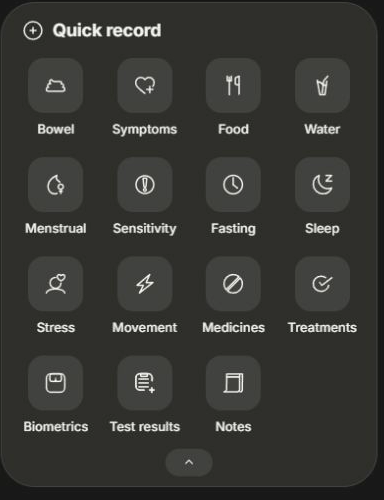
Screens show the current app; your own view may differ.
Compared with a symptom tracker
A symptom tracker keeps a log. The Gutsphere app keeps what you record beside your plan and the day’s actions, so an observation can lead to a next step or a question for your clinician.
Records what happened and when. Making sense of the entries and deciding what to do next are often left to you.
Track offers categories for the observations you choose to record. Plan keeps an objective and the next useful step in view. Today shows the day’s content and actions.
See what the app adds →A pattern in your records can raise a useful question without proving a cause. Bring it to your clinician.
The app supports work around care. Your clinician makes diagnosis and treatment decisions.